

6 posts tagged with "milestones"

Milestones in the ScrewBox development.

View All Tags

Vape-Coding

occluders.png

Hello my friends,

for the past few weeks, I have been completely down the rabbit hole of fluid dynamics. These physics effects have recently fascinated me, and I knew I had to bring them into ScrewBox. I've read the number one paper on the topic, watched a lot of YouTube tutorials and finally got stuck with the one from The coding train. I cannot say that I really understand the underlaying math, I've only got it as long as I needed it to get it right. It really fascinates me what bugs I've created when implementing it and there are still some rough edge cases to deal with.

The system is currently used to create realistic, interactive smoke effects. The fluid dynamic system I've come up with only simulates the content on and around the screen and not the whole game world. This is due to the restriction cpu power because I wanted to provide a real-time simulation which cannot handle bigger grids at the moment. The latest version now provides a first look for this new feature which is still heavily under development and cleanup.

Currently the system is able to emit multi colored smoke and put it into motion. Also smoke can get deflected by obstacles. You can use different rendering styles to match the game graphics. There are still lots of optimizations and ideas I want to implement in the comming weeks. E.g. I could think of using the fluid system to enhance fluid graphics or create special shaders as well.

If you want to try it out please let me know any issue that you might have. More details are found in the graphics documentation.
Post-Processing

Hi everyone,

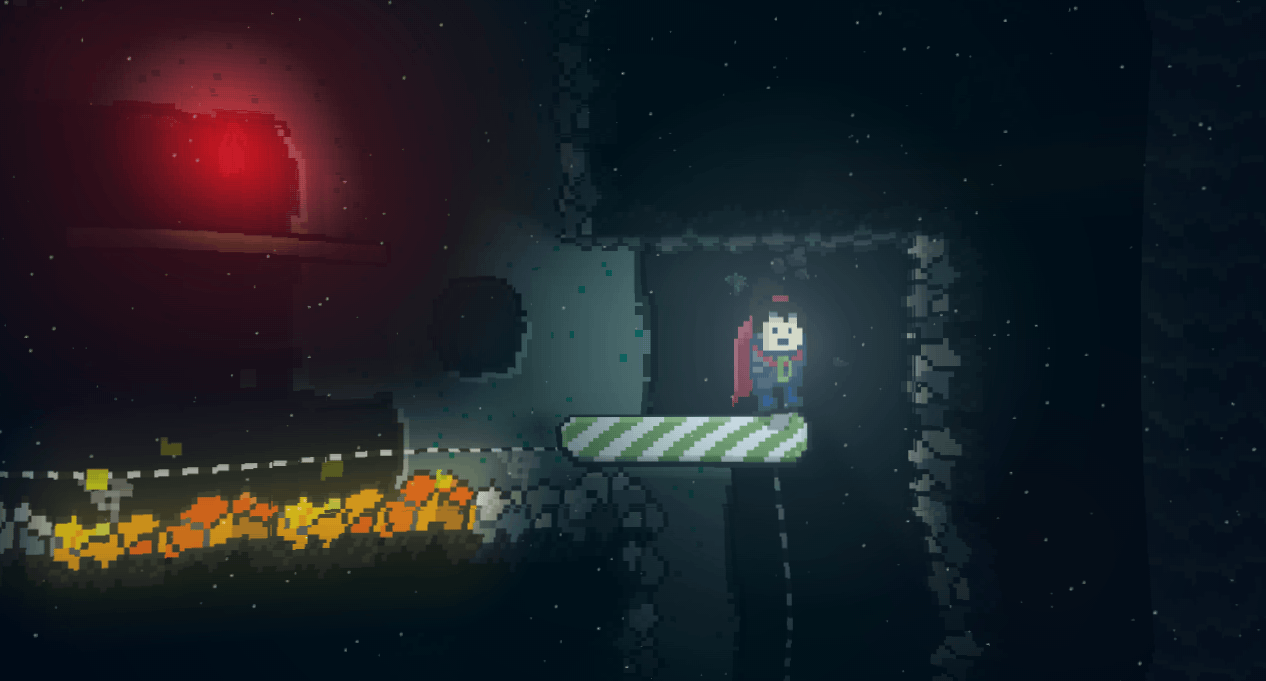
version 3.24.0 introduces Post-Processing to ScrewBox.

What is Post-Processing? Instead of rendering directly to the screen, the engine now renders the scene into a buffer first. The render pipeline then apply on ore more visual filters to that image before it is presented at the actual screen. The current release includes several built-in filters: Shockwave, Wave, DeepSea, Underwater, FishEye, FacetEye, HeatHaze and Warp

You can implement your own filters to modify the game's appearance. While filters can be stacked, please note that some effects have a significant performance impact, which may limit the number of active layers depending on your hardware.

post.png

The Shockwave Post-Processing filter functions differently than standard global filters. These effects are anchored within the game world and account for camera movement, with radius and width changing over time. To handle this complexity, ScrewBox provides a specialized API that allows you to trigger shockwaves with a single line of code. The underlying filter is managed and applied internally on demand.

postProcessing.triggerShockwave(playerPosition, ShockwaveOptions.radius(40));

I'm planning to add some more support for such game world dependent effects in the future. Also there are more post filters to come with the next versions.

Have a nice day!

Illumination reworked

Hello everyone,

the last three versions of ScrewBox made a huge effort to improve the game illumination:

The overall performance was improved significantly by improving the speed of the internally used image filters and algorithms. The blurring filter is now 20-30% faster and supports higher blur values for even smoother visuals. The time consumed for image opacity inversion was reduced by a staggering 98%.

This increased throughput allows for higher-quality shadow maps and heavier shadow blurring without sacrificing frame rates.

occluders.png

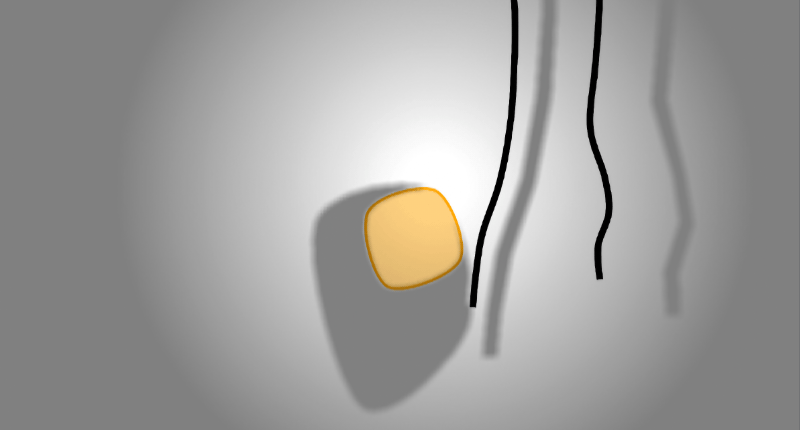
I have also introduced a new directional light source and backdrop occluders:

  • Directional light easily simulate natural illumination like sunlight.
  • Backdrop occluders create shadows directly on the background behind objects. Backdrop occluders work in perfect harmony with soft physics entities. The shadows add a new level of immersion to these entities.

Flexible draw order

Hey everyone,

in the past, ScrewBox had some very restrictive limitations due to the architecture decisions I made, both consciously and unconsciously. For instance, I never considered implementing a split-screen mode within the existing code base. However, it was possible, but it was a significant challenge to rewrite hundreds of lines of code. After at least three months of work, finally getting it done felt like a huge success.

The upcoming version 3.14.0 will finally address another restriction that had been bothering me. Unfortunately, it doesn’t sound particularly exciting: Now, it’s possible to draw entities in any order across all entity systems. This allows for some nice refactorings within the engine, which results in slight performance improvements. However, it also provides much more freedom when creating games with ScrewBox.

To draw across entity system execution order simply add the order offset to your drawing call.
// will be drawn second
canvas.drawLine(line, LineDrawOptions.color(RED).drawOrder(2));

// will be drawn first
canvas.drawLine(line, LineDrawOptions.color(RED).drawOrder(1));

// will be drawn above the light
int aboveLight = Order.PRESENTATION_LIGHT.mixinDrawOrder(1);
canvas.drawLine(line, LineDrawOptions.color(RED).drawOrder(aboveLight));

Maven relocation

Yesterday I reworked the build process to move Maven source to the updated Sonartype Central Repository. I used the opportunity to update the Maven coordinates to the new domain. ScrewBox can now be found at the updated coordinates: dev.screwbox:screwbox-core. The update comes with updated packages for all classes and some improvements for the build process. For further info see full changelog.

A fresh start

A few weeks ago I decided to add some real documentation to ScrewBox, the project I have worked on for nearly four years now. I used this opportunity to register screwbox.dev as new home address for the project. Hopefully anybody will have a few good hours or days working with ScrewBox. Stay tuned for some upcoming content updates.